Learn About the Auto-Delete Meeting Feature
Last updated: April 3, 2026
This guide walks you through the auto-delete meeting feature in Fireflies and how to configure it for yourself and your team.
Introduction to Auto-Delete Feature
The auto-delete meeting feature allows you to automatically delete past meetings after a specified period. It operates based on the meeting owner's settings:
If the meeting owner has auto-delete turned ON, meetings will be deleted according to the owner's chosen retention period.
If the meeting owner has auto-delete turned OFF, meetings will not be deleted, regardless of other participants' settings.
Note:
The auto-delete feature is exclusive to Fireflies Enterprise users.
Admins can control the auto-delete feature for their entire workspace.
This setting applies only to future meetings and not past meetings.
How to Enable Auto-Delete for Yourself
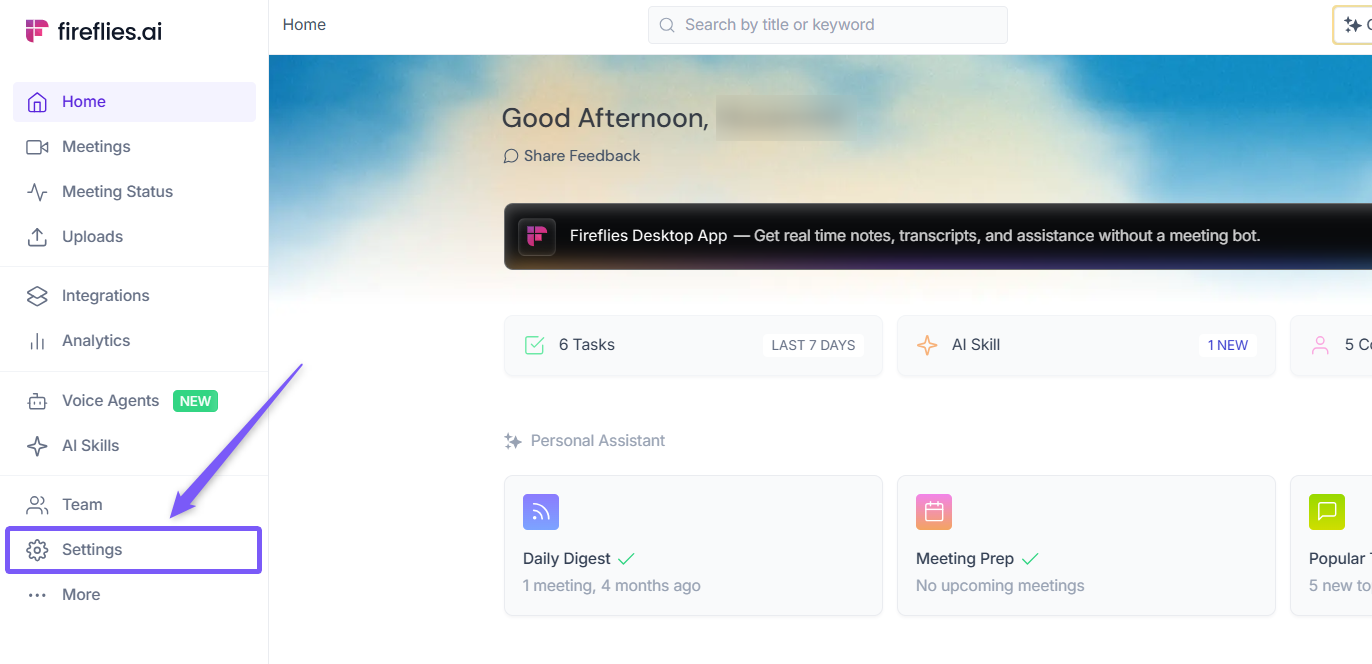
1. Go to the Fireflies web app and click the Settings from left side menu.
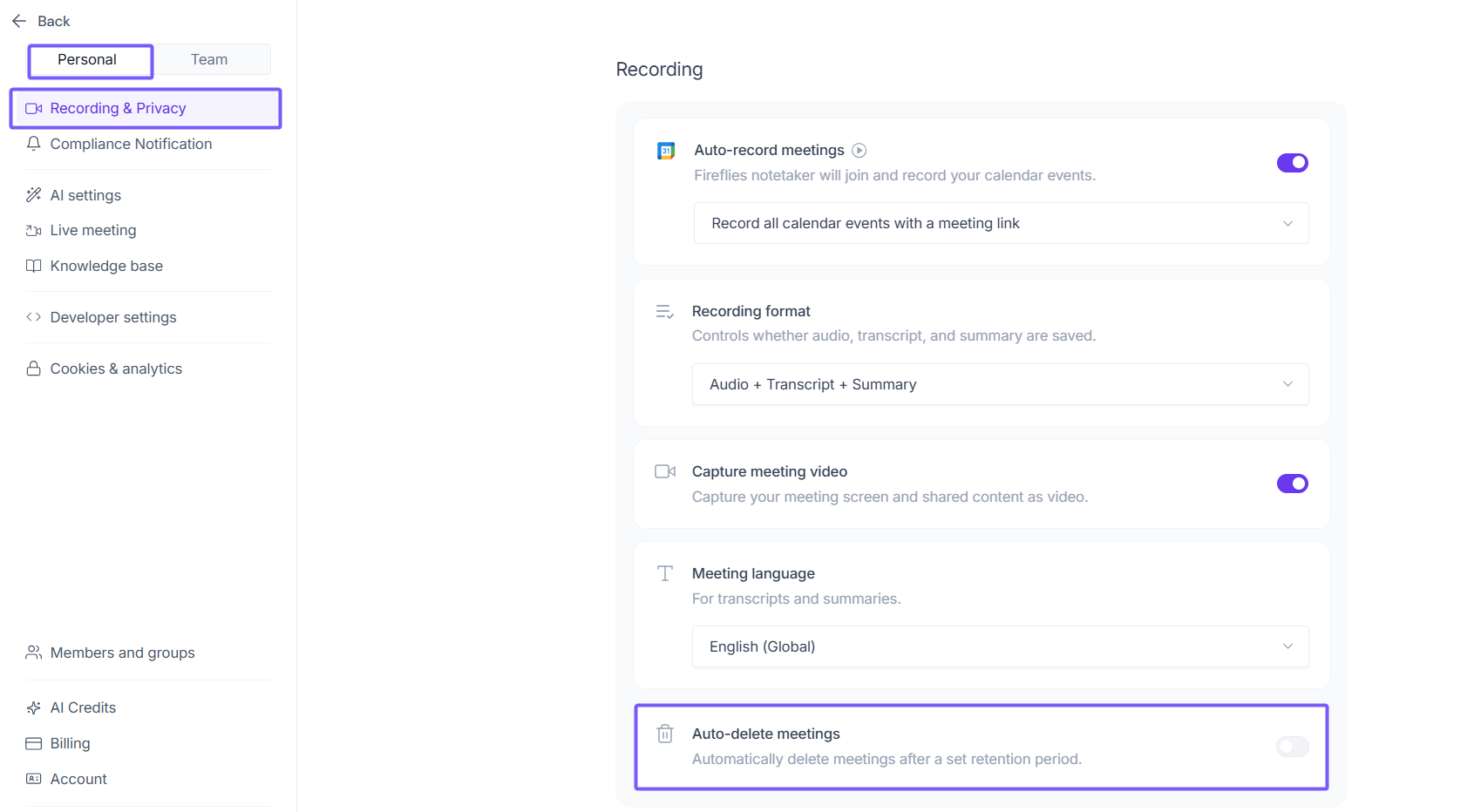
2. Navigate to Recording & Privacy (Personal tab) and scroll down to the Auto-delete meetings section.
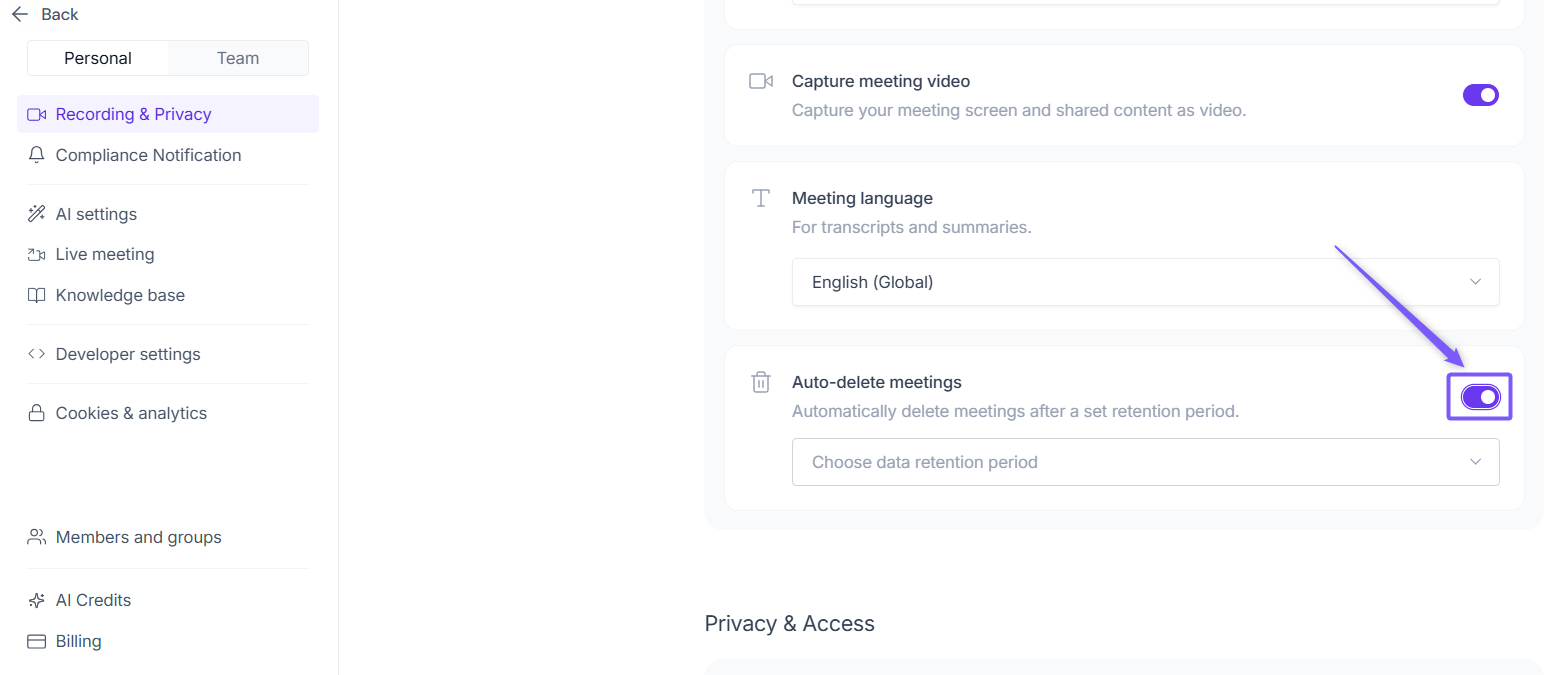
3. Toggle on Auto-delete meetings.
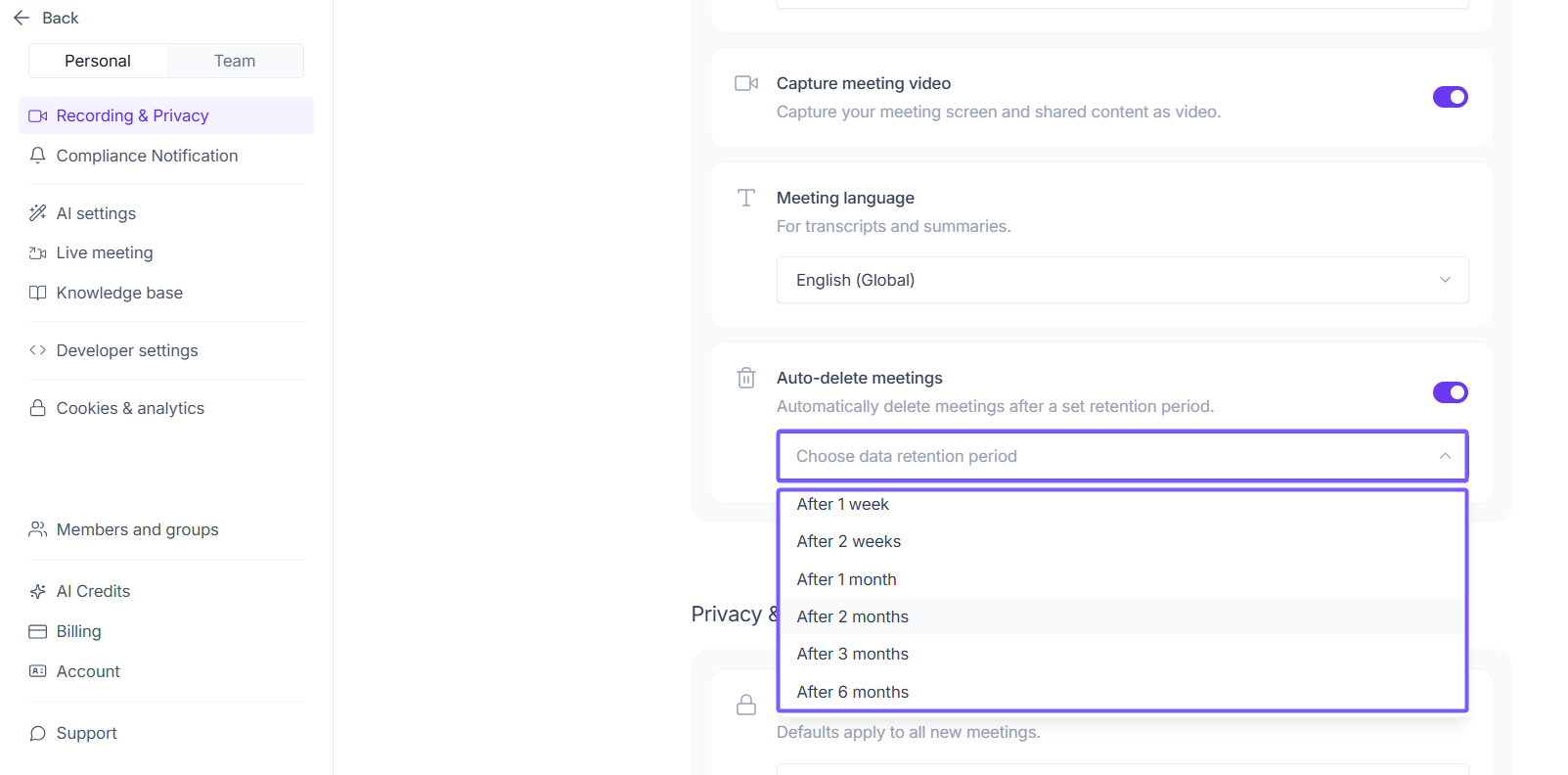
4. Click the dropdown and select your preferred data retention period. You can choose from After 1 week up to After 1 year:
Fireflies will automatically delete meetings after the retention period. For example:
Auto-Delete meetings setting | Meeting created | Deletion date |
After 1 week | January 1st | January 8th |
After 2 weeks | January 1st | January 15th |
After 1 month | January 1st | January 31st |
How to Enable Auto-Delete for Teammates (Admins Only)
1. Navigate to Settings and switch to the Team tab.
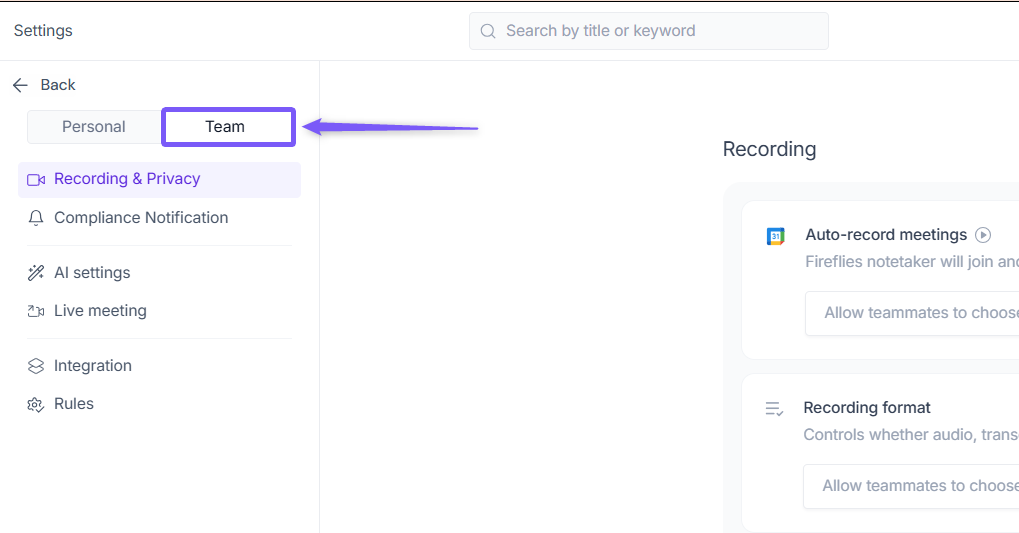
2. Navigate to Recording & Privacy and scroll down to the Auto-delete meetings section.
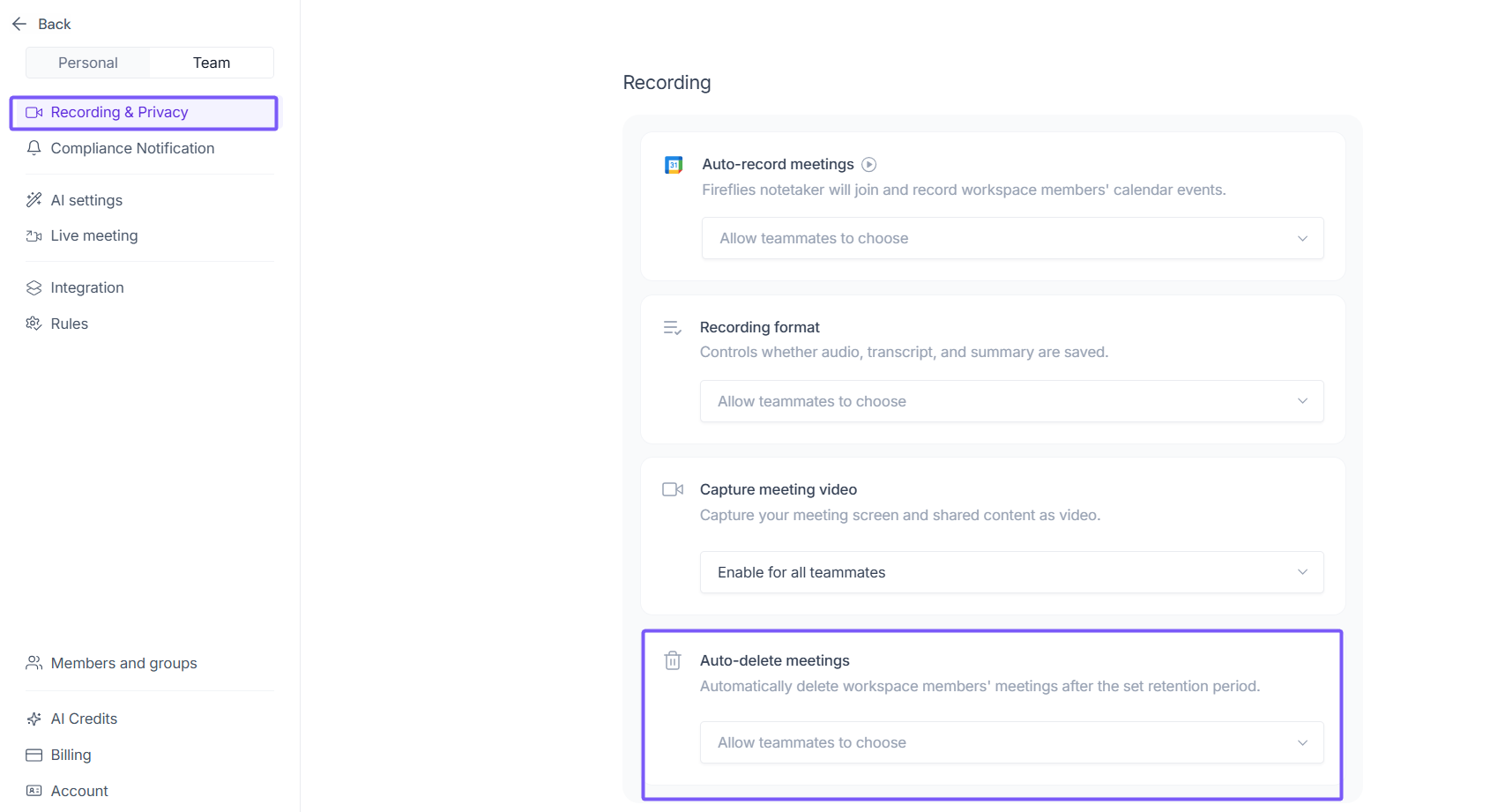
3. By default, this is set to Allow teammates to choose. Click the dropdown and select your preferred option for the entire workspace:
Allow teammates to choose — Teammates can configure their own auto-delete settings
Disable for all teammates — Turns off auto-delete for all workspace members
After 1 week to After 1 year — Sets a fixed retention period for all workspace members' meetings, after which they will be automatically deleted
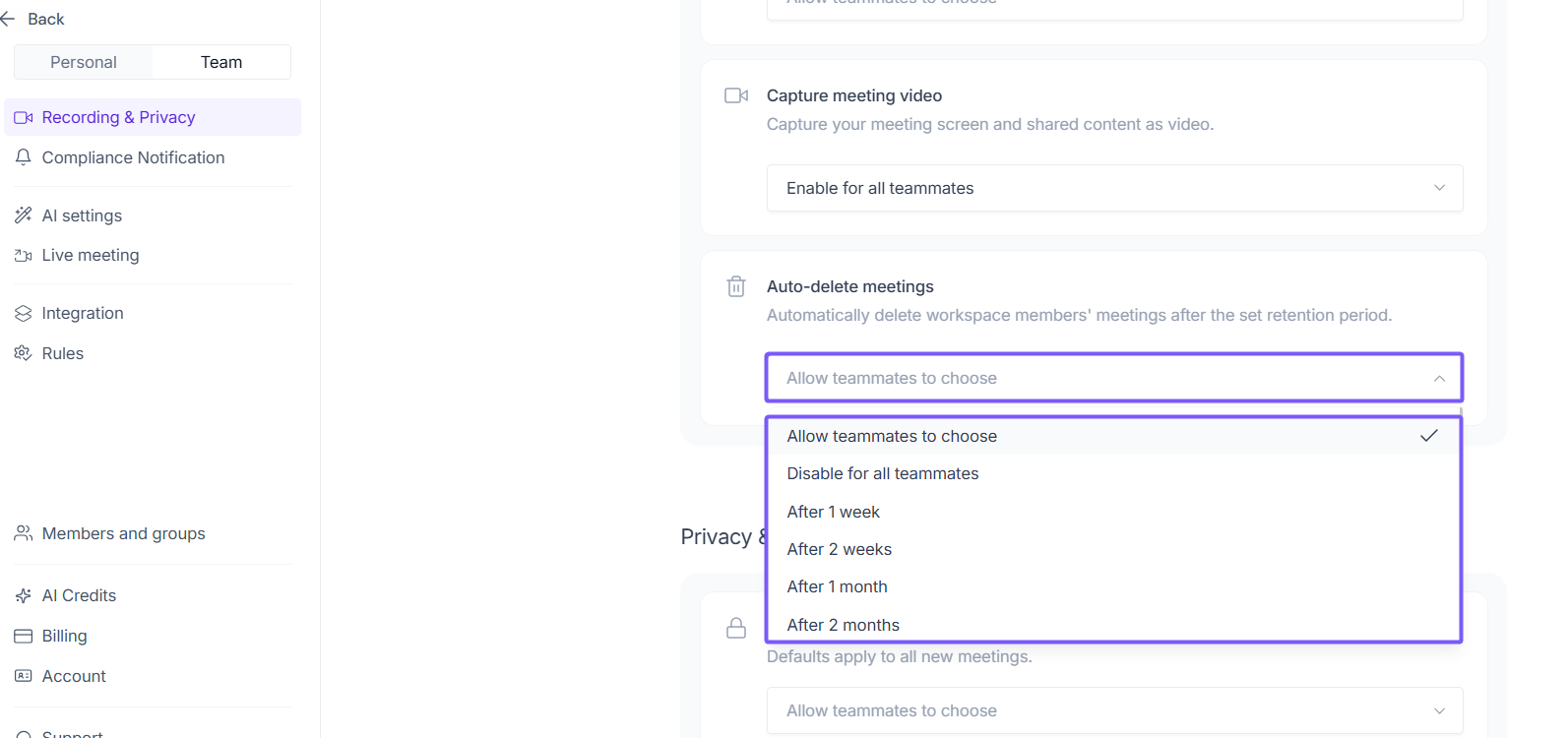
Once you select a value, teammates will no longer be able to configure the auto-delete meeting feature individually.