Did not receive the meeting notes/ transcript? Troubleshoot transcription issues
Last updated: October 19, 2026
If you're missing a meeting transcript or it seems stuck in progress, don’t worry. This guide covers common causes and steps you can take to troubleshoot the issue.
Need help figuring out why Fred didn’t join your meeting in the first place?
Check our full Fred did not join troubleshooting guide →
🚫 Didn’t receive the meeting transcript?
Here are some common reasons why your transcript might be missing and how to fix them.
1. Your Auto-Join settings are blocking Fred
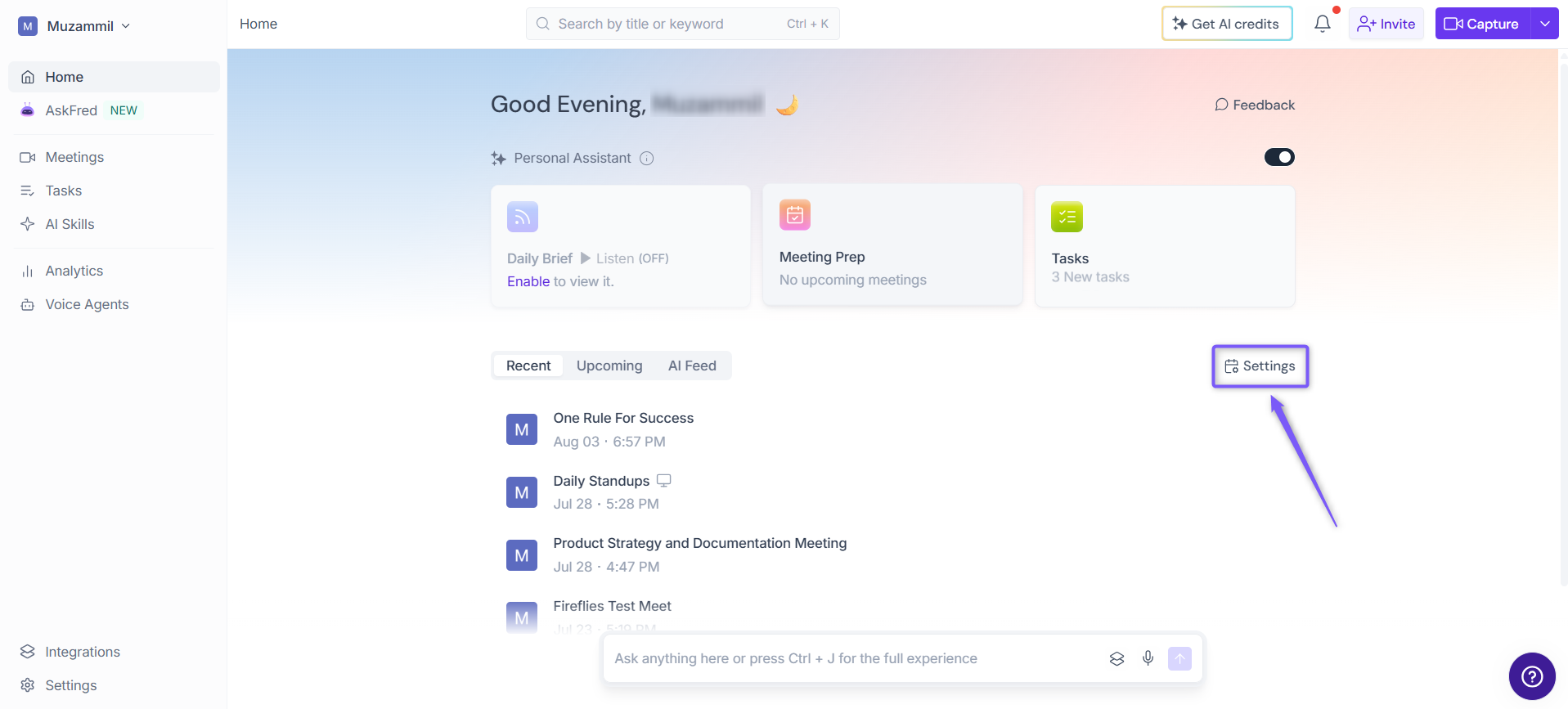
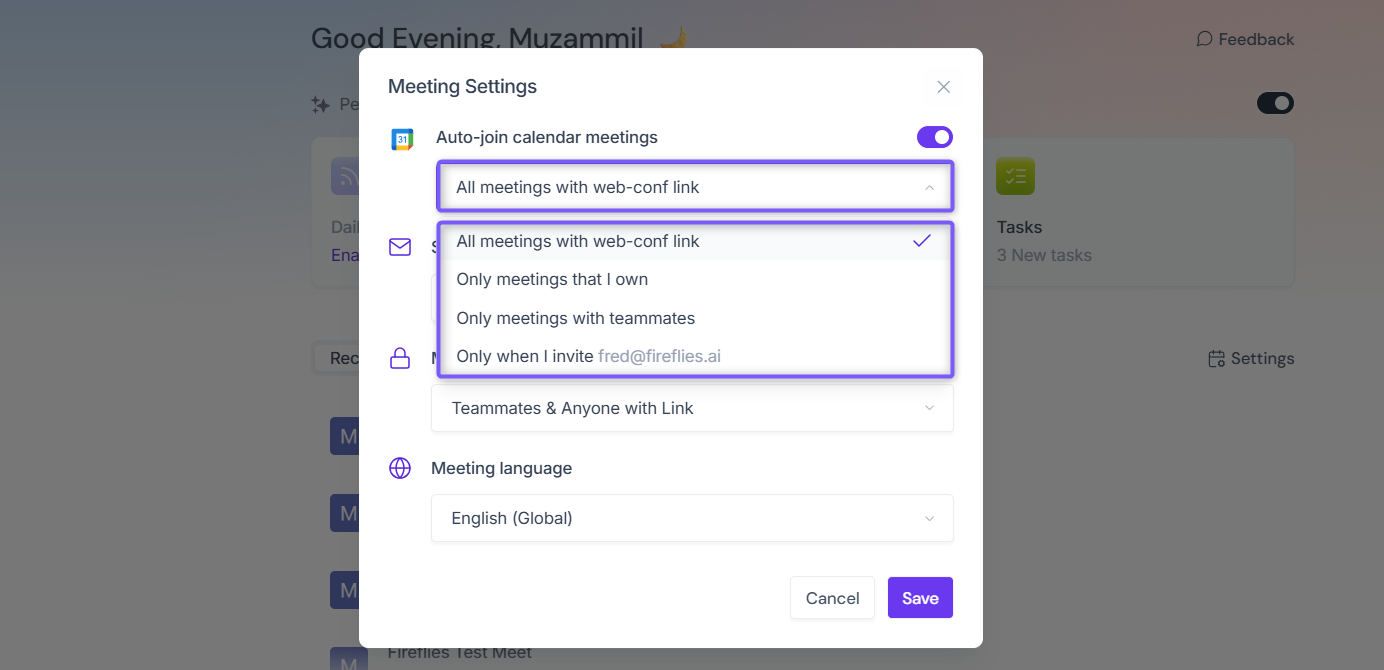
If your Auto-Join setting is set to Only when I invite fred@fireflies.ai and you forget to add Fred to the meeting invite, Fireflies won’t join the meeting, so no transcript will be generated.
How to fix it:
1. From the Fireflies Home page, click Settings on the right side of the page.
2. Check your Auto-join calendar meetings settings and preferences. Alternatively, invite fred@fireflies.ai to the meeting.
2. You weren’t the host, and recap privacy is restricted
If you attended the meeting but weren’t the host, you might not see the transcript if the host’s recap-sharing settings are restricted to the meeting owner.
How to fix it:
Ask the host to change the recap privacy setting or share the meeting with you manually.

3. The meeting is still processing
It can take 5–10 minutes for a transcript to be generated after a meeting ends.
How to check the status:
Open the Fireflies web app.
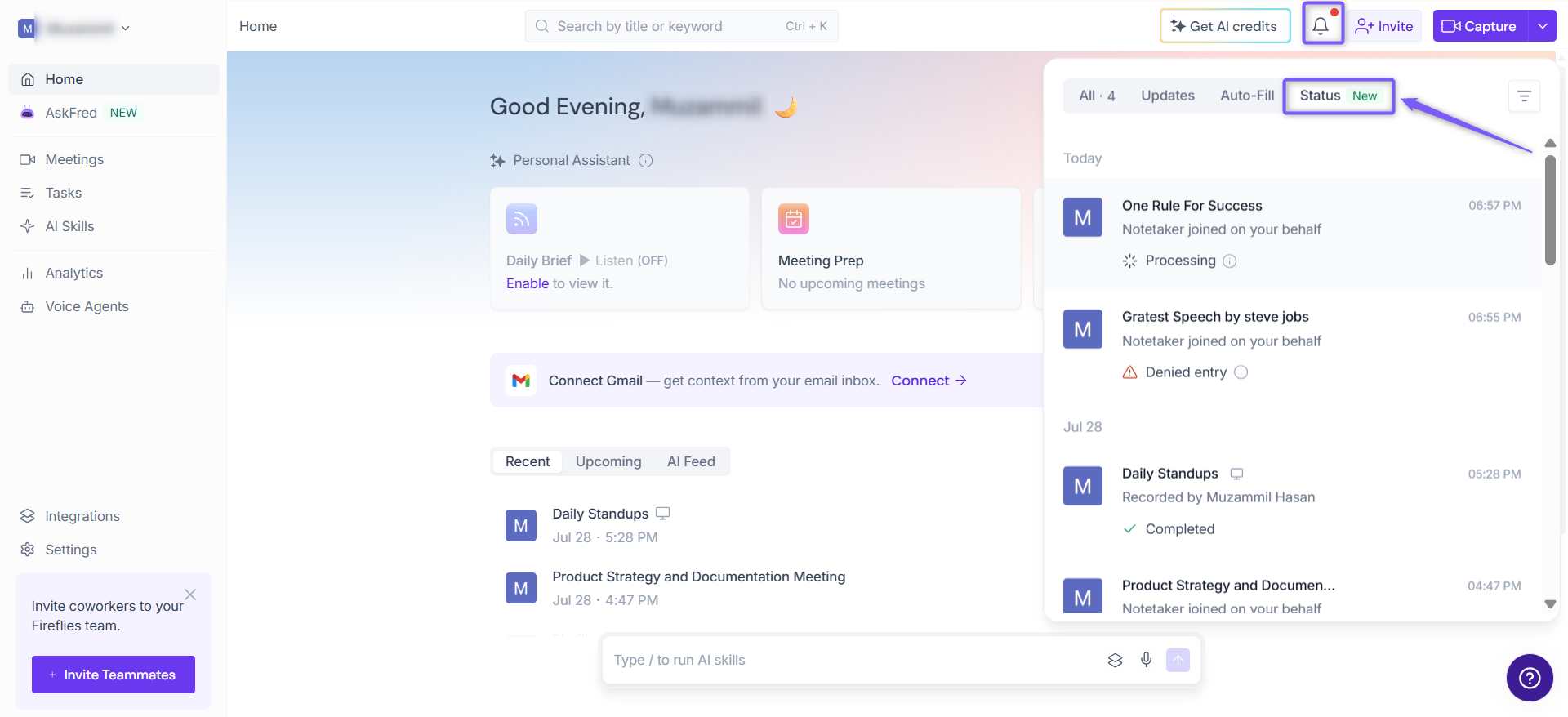
Click the Notifications (bell) icon in the top-right corner.
Open the Status tab to check your meeting’s status.
If the status is still In Progress, wait a few more minutes for processing to finish.
4. The meeting was too short
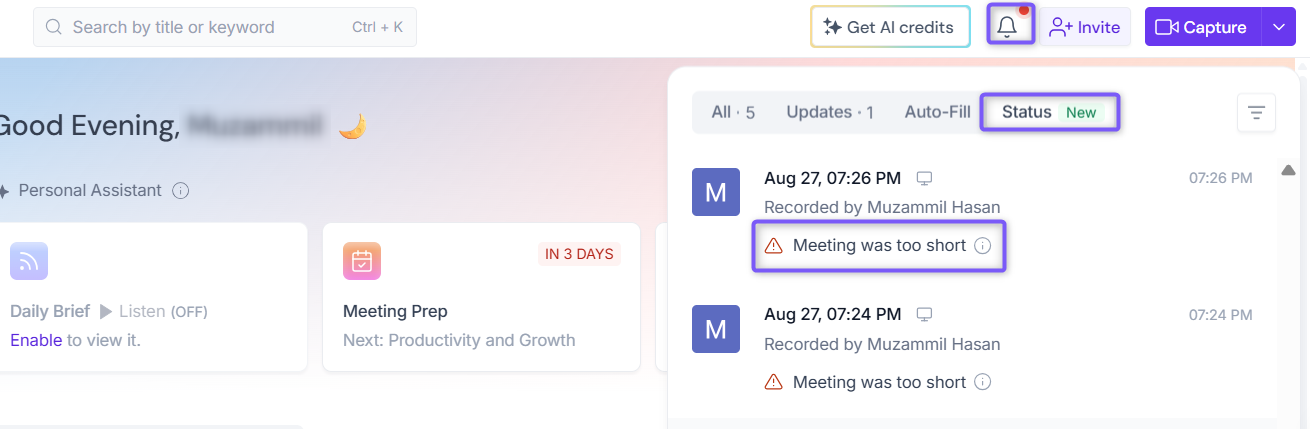
Fireflies doesn’t process meetings that last less than 3 minutes. If your call ended quickly or Fred was removed early, a transcript might not be generated.
Make sure your meetings last at least 3 minutes.
5. Fred was denied entry or blocked by platform settings
If Fireflies couldn’t enter the meeting—for example, because Fred was left in a waiting room, recording permission was denied, or the platform required a login—the bot couldn’t record the meeting.
How to check:
Click the Notifications (bell) icon in the top-right corner of the Fireflies web app.
Open the Status tab.
Check whether Fred attempted to join and look for any error messages, such as:
Login or Captcha required
Host declined recording permission
Meeting requires sign-in
Waiting room: no one let Fireflies in
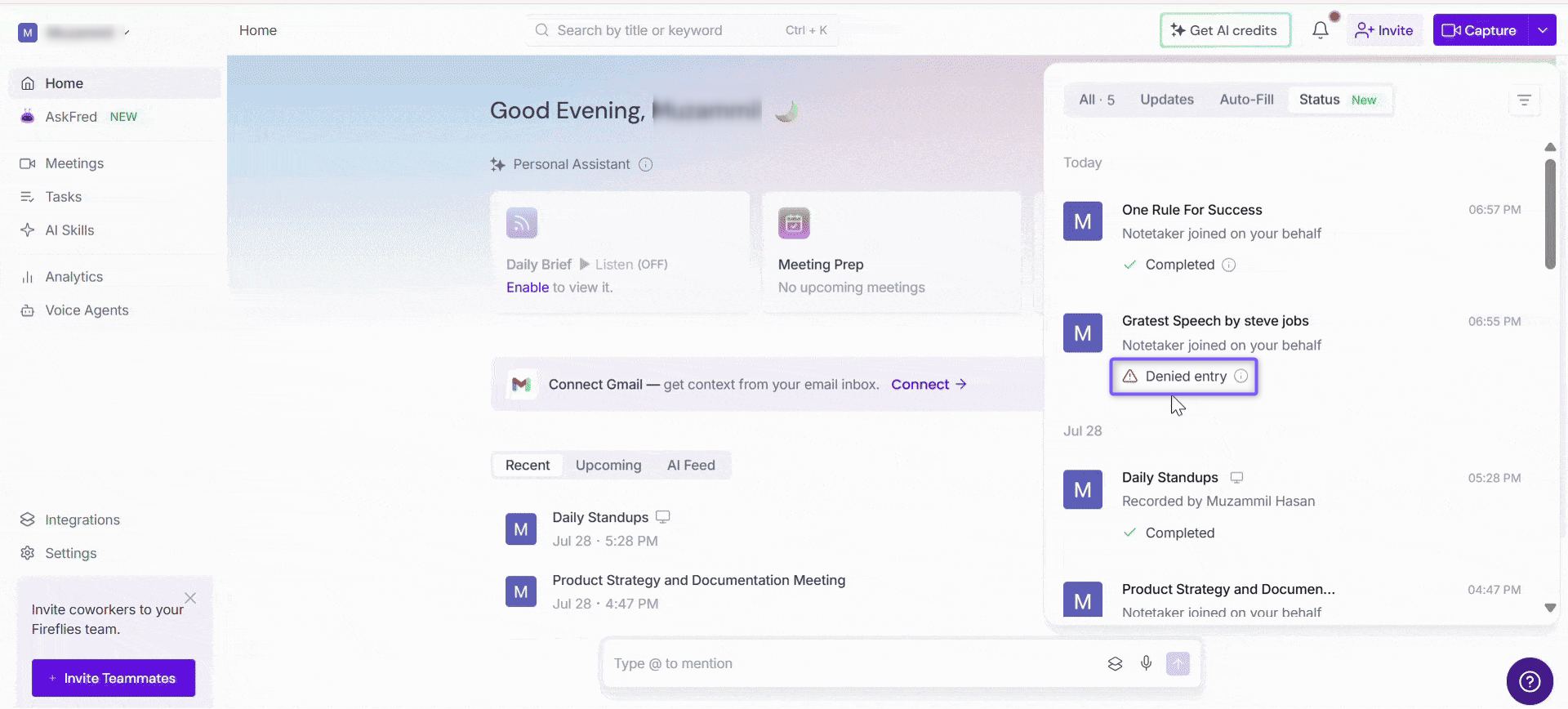
Use the relevant setup guide to troubleshoot platform-specific issues:
🔄 Transcription progress is stuck or slow
If your meeting remains In Progress for too long or the transcript isn’t loading, try the following troubleshooting steps.
1. Check your internet connection
Make sure you have a stable Wi-Fi or LAN connection. If you were using mobile data or switched networks during the call, processing may be delayed.
2. The transcript is large and still loading
Longer meetings or calls with multiple speakers can take longer to process and display in your Notepad.
Tip: Wait a few more minutes, refresh the Notepad, or open the meeting again.
3. Clear your browser cache or try incognito mode
Open your Fireflies dashboard in an incognito window or clear your browser cache. Browser-related issues can sometimes prevent the transcript from loading correctly.
✅ Troubleshooting checklist
Problem | Quick fix |
|---|---|
Didn’t invite Fred? | Check your Auto-Join settings or manually invite |
Meeting was too short? | Make sure the meeting lasts at least 3 minutes. |
Can’t access the recap? | Ask the host to check recap-sharing settings. |
Transcript is still processing? | Open Notifications → Status, wait a few minutes, and check again. |
Fred was blocked by the meeting platform? | Open Notifications → Status to check for errors, then review the relevant platform setup guide. |
Transcript is stuck or not loading? | Wait, refresh the Notepad, or try an incognito window. |
Fred didn’t join at all? |